Introduction
Drupal is a free and open source content management system (CMS) which is written in PHP and boasts an extremely customizable platform on which you can organize, manage and publish your content. It is used as the backend for over 2.1% of websites worldwide and is reportedly used by organizations such a Harvard, NBC, Tesla, and the White House. Stack Harbor has made it easy for you deploy your very own Drupal instance on one of our Stacks and begin blogging/developing extremely quickly.
Accessing Your Application
Once you’ve deployed your Stack, you’ll be able to point your browser to your IP address and verify that Drupal was installed correctly. Right now there isn’t any content — you’ll probably want to log into the administrative interface and begin generating content. For security, you will only be able to access your admin credentials by using SSH to log into your remote machine. If you don’t know how to use SSH, we’ve written a detailed “Getting Started With Your Stack” tutorial, which will walk you through the process of remotely logging into your machine.
Once you have successfully accessed your machine using SSH, pay attention to the text that is logged to your screen. This is called the message of the day (MOTD) and it contains a lot of sensitive information including your root MariaDB password and your admin credentials for your Drupal installation. It is safe to take note of this information somewhere secure and remove the MOTD file by running rm -f /etc/motd. Use the first set of credentials in the MOTD corresponding to your admin Drupal credentials and log in to the administrative interface on your IP address.
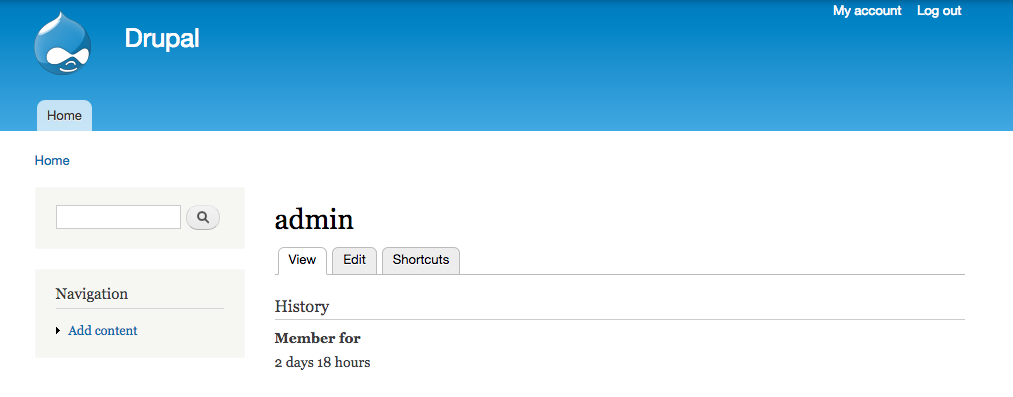
Look for the link that reads “Edit” underneath “admin”. If you click on that link, you should be shown a few fields regarding your administrator account. We recommend you change your email which is currently set to ‘admin@example.com’ to an email address to which Drupal can send you password reset information and other administrative information.
Final Worlds
Congratulations! You’re ready to set sail and begin blogging, styling, developing custom modules and plugins, and adding blog contributors. For more information regarding PHP and other server configuration options, check out our Community Section. From all of us at Stack Harbor, ahoy!